If your FASTag app or a toll-plaza display shows blacklisted, a recharge may not be enough. The status normally means the issuer bank has blocked the tag from paying toll electronically, so the right fix depends on whether the cause is low balance, pending dues, incomplete KYC, a vehicle mismatch, multiple tags or a damaged sticker.
This guide explains the official status checks and the practical escalation path for Indian car, jeep and van owners. The most important step is to verify the tag mapped to your vehicle before leaving: check the issuer-bank account, the vehicle registration number and the status of any older tags, then keep the relevant support number available. Rules and system details below are checked as of 13 October 2026.
Key takeaways
- Blacklisted, hotlisted, low-balance and closed are different status conditions; a recharge solves only some low-balance cases.
- Check the tag in the issuer-bank portal or MyFASTag, then check the official NETC status for every tag mapped to the vehicle registration number.
- One vehicle should have one active FASTag. Do not buy a second tag before the old tag or old wallet is properly closed.
- KYC, RC details, vehicle class, windscreen placement and physical damage can all affect whether the tag is accepted.
- For the account-level fix, contact the issuer bank. For a toll-plaza reader or lane complaint, call the NHAI/IHMCL 1033 helpline.
What does “FASTag blacklisted” mean?
IHMCL and NHAI define a blacklisted tag as one blocked by the issuer bank and not usable for electronic toll payment at a plaza. The same official FAQs list insufficient balance, a vehicle-class mismatch, and a tag that is not fixed on the windscreen or is carried by hand as possible reasons. A blacklisted status is therefore a system condition, not proof that the RFID sticker itself is physically broken.
In practice, the label shown by a bank may be different from the label at the plaza. A low-balance status warns that the wallet is close to the issuer's operating limit. A hotlist is commonly associated with pending dues or a rule exception. A blacklist blocks the tag for toll payment, while closed or replaced means the wallet or sticker is in a separate closure workflow. Ask the issuer to tell you the exact status code and reason instead of assuming that every red warning has the same remedy.
Why a FASTag becomes inactive or blacklisted
1. Low balance or an unpaid toll debit
The IHMCL FAQ says insufficient balance can lead to blacklisting and advises customers to recharge after a low-balance alert. NPCI's NETC closure and replacement policy also describes a negative-balance tag being put on hotlist until pending dues are recovered. A recharge can restore the wallet, but the bank may still need to remove the exception status after the dues are settled.
2. Incomplete KYC or outdated vehicle details
FASTag wallets are tied to customer and vehicle information. IHMCL's FAQ, updated 10 February 2024, says an incomplete-KYC alert may arrive by SMS, email or the issuer's app and gives an online KYC update route. Check the name, registered mobile number, vehicle registration number and RC details against the current vehicle. A change of ownership, a temporary registration, or an old RC upload can create a mismatch that a simple recharge will not cure.
3. More than one tag linked to the same vehicle
NHAI's One Vehicle One FASTag initiative and the IHMCL FAQ both say that a vehicle should have only one active tag. Old tags may remain visible in bank apps even after a newer tag is issued. Check the official NETC status service by entering the vehicle registration number, identify every mapped tag, and ask the relevant issuer banks to close or deactivate obsolete accounts through their own process.
4. Wrong class, wrong vehicle or loose placement
A tag issued for one class of vehicle cannot be moved to another vehicle. The official FAQs also warn that a class mismatch, non-affixation on the windscreen or carrying the tag in hand can cause blacklisting. If the sticker has peeled, been damaged, or been moved between vehicles, do not keep testing it at toll lanes; record the tag ID and contact the issuer for the correct replacement or mapping process.
How to check FASTag status before a trip
- Start with the issuer bank. Find the bank name on the sticker, SMS alert, recharge receipt or app. Open the tag account and note the exact status, wallet balance, pending debit and vehicle registration number.
- Check the colour status in MyFASTag. IHMCL's FAQ describes green as an active tag with sufficient balance, orange as low balance and red as blacklisted. Treat the colour as a quick signal, then use the issuer account for the reason and ticket number.
- Check every tag mapped to the VRN. The official NETC status service can show the status of multiple tags linked to the vehicle number. This step matters most for used vehicles, bank changes and replacement stickers.
- Compare the physical tag with the records. Confirm the registration number, vehicle class and windscreen placement. The tag should be fixed on the windscreen and should not be carried loose in the cabin.
- Review the last transaction. Keep the toll SMS, date, plaza name, amount and recharge reference. This gives the bank enough information to investigate a failed debit or a balance that did not update.
Once the check is complete, plan the trip with the toll-charge calculator rather than relying on the first toll on the route. A working tag still needs enough balance for the complete journey.
Status, evidence and first fix
| Status or situation | What the official record says | First action |
|---|---|---|
| Low balance or hotlist | IHMCL and NHAI list insufficient balance as a blacklist risk. NPCI's closure policy says a negative-balance tag may remain hotlisted until pending dues are recovered. | Recharge through the issuer, save the payment reference, and ask the bank to confirm removal of the exception. |
| KYC or vehicle mapping warning | NHAI's January 2024 One Vehicle One FASTag release and IHMCL's FAQ require the active tag to be tied to the correct customer and vehicle records. | Update KYC or RC details in the issuer's official portal. Do not open another tag for the same vehicle while the old mapping is unresolved. |
| Wrong class, loose or damaged tag | The NHAI and IHMCL FAQs say class mismatch and non-affixation on the windscreen can lead to blacklisting. The physical tag validity stated in both FAQs is 5 years, subject to damage or tampering. | Keep the correct tag fixed on the windscreen and ask the issuer for a replacement or correction if it is damaged or wrongly mapped. |
| App says active but plaza rejects it | NPCI circular 004A dated 28 January 2025 refers to a 60-minute pre-reader and 10-minute post-reader exception window. PIB's 19 February 2025 clarification says this is for bank-side status processing, not a new customer recharge deadline. | Ask the toll staff to check the reader and call 1033 for a plaza-level complaint; contact the issuer bank for an account-level correction. |
The numbers in this table are system or support references, not a universal minimum wallet balance. Toll amounts vary by plaza, vehicle class and route, so the issuer's balance and your route estimate must be checked separately.
Worked rupee example: budget the whole route
Consider this illustrative calculation, not a quoted toll schedule: a planned route has three toll entries of ₹180, ₹240 and ₹160. The total is ₹580. A wallet with ₹400 plus a ₹100 recharge reaches ₹500 and is still ₹80 short. A ₹600 recharge would cover this example and leave ₹20.
Actual charges can change by route, vehicle class, pass status and the toll authority's published tariff. The point is to add every expected toll before departure, then leave room for a route change or a pending debit. Pair the toll estimate with the fuel cost calculator so the trip budget includes both electronic tolls and fuel rather than treating a successful first scan as proof that the wallet is ready.
What to do if the tag fails at the toll plaza
- Stay in the lane and ask the operator to confirm whether the display says low balance, hotlist, blacklist, unreadable tag or another exception.
- If the status is a wallet, KYC or vehicle-mapping problem, call the issuer bank using the number published in its official app or on the tag. Ask for a complaint number.
- If the tag is active and funded but the plaza cannot read it or is showing the wrong status, call 1033. IHMCL and NHAI describe 1033 as the toll-plaza-level helpline for blacklist misreads, unreadable tags and FASTag acceptance complaints.
- Keep the toll-plaza name, lane direction, time, vehicle registration number and screenshots of the status. Do not share an OTP or card PIN with a roadside agent.
- Do not peel off a working tag or purchase another one impulsively. Multiple tags on one vehicle can create a second mapping problem and delay the eventual correction.
For a longer journey, the road-trip planner can help you review the route and likely toll points before you leave. If you use a pass, see the NHAI barrierless-tolling update; a pass does not remove the need for a functional, correctly mapped tag.
Pre-trip FASTag checklist
- Open the issuer app and confirm the tag status, current balance and last debit.
- Check the VRN and vehicle class against the RC.
- Confirm only one active FASTag is mapped to the vehicle registration number.
- Inspect the sticker for peeling, cracks, tampering or poor windscreen placement.
- Estimate all tolls and fuel for the route, then recharge through the issuer's official channel.
- Save the issuer-bank support number and the NHAI/IHMCL 1033 number before entering the highway.
For the separate step-by-step balance and status workflow, see the FASTag balance, status and recharge guide. It is useful for routine checks; this guide covers the failure path when the tag is rejected or blocked.
FASTag blacklisted: frequently asked questions
Can recharging alone unblock a blacklisted FASTag?
Not always. A recharge can address insufficient balance or pending dues, but KYC, vehicle mapping, class mismatch, physical damage and closed-tag conditions require the issuer bank's separate action. Check the reason code before assuming the tag is ready.
Can I use one FASTag on two cars?
No. FASTag is issued against the vehicle records supplied during onboarding. NHAI and IHMCL say a class or vehicle mismatch can lead to blacklisting, and the One Vehicle One FASTag policy is designed to leave one active tag for one vehicle.
What is the difference between the issuer bank and 1033?
The issuer bank controls the wallet, KYC, mapping, recharge and account status. The 1033 helpline is for toll-plaza-level problems such as an unreadable tag, a plaza not accepting FASTag or a blacklist message that appears to be wrong at the lane.
How do I know whether the tag is physically old or damaged?
Compare the sticker and tag details in the issuer account, inspect whether it is firmly affixed to the windscreen, and ask the issuer for a replacement if it is damaged. NHAI and IHMCL state that the physical tag validity is 5 years, but visible damage can require earlier replacement.
Sources
- IHMCL, “Frequently Asked Questions” (updated 10 February 2024; accessed 13 October 2026)
- NHAI, “Frequently Asked Questions on FASTag” (official FAQ; accessed 13 October 2026)
- Press Information Bureau, “NHAI Takes ‘One Vehicle One FASTag’ Initiative to Enhance National Highway Experience” (15 January 2024)
- Press Information Bureau, “Clarification on New FASTag Rule” (19 February 2025)
- NPCI, “Changes to the Rule for Declining Transactions from Tags under Exception, Circular 004A” (28 January 2025)
- NPCI, “Implementation of NETC FASTag Closure and Replacement Policy” (FY 2023–24 policy)
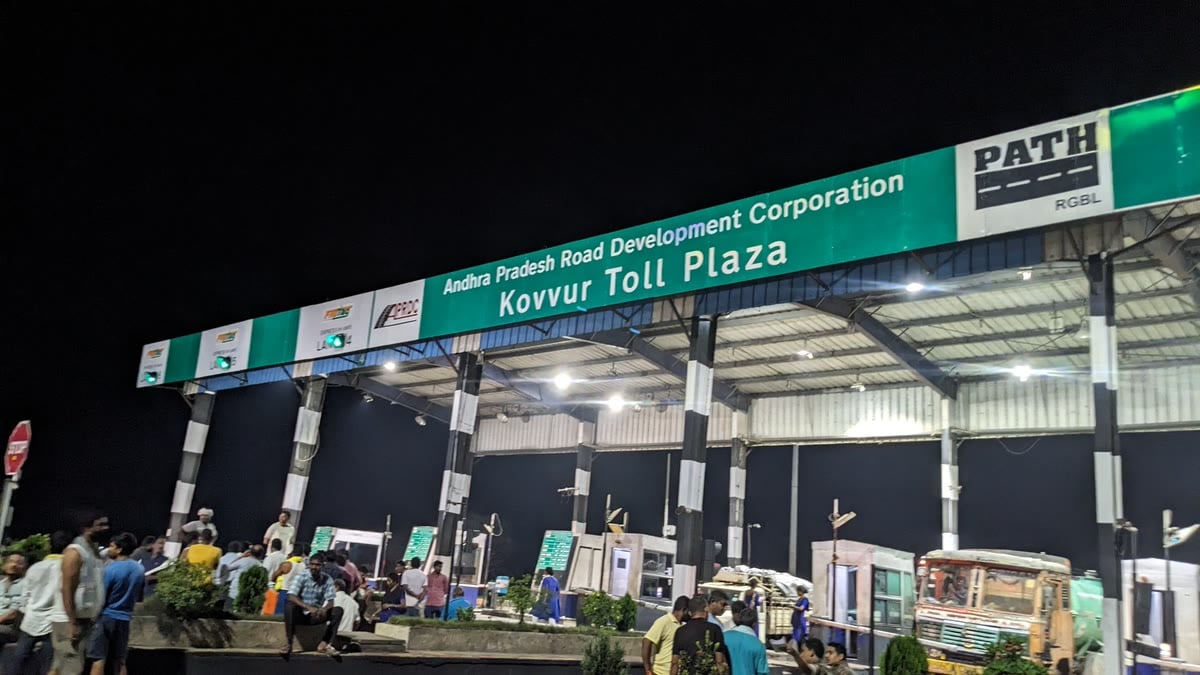
- Hero photograph: Wikimedia Commons, “Kovvur Toll Plaza”, Saiphani02 (12 June 2024), CC BY-SA 4.0