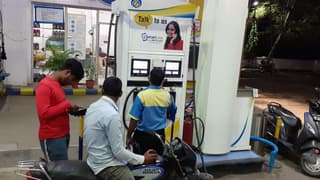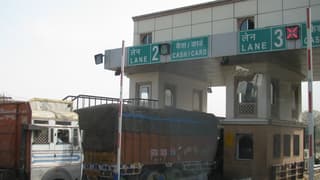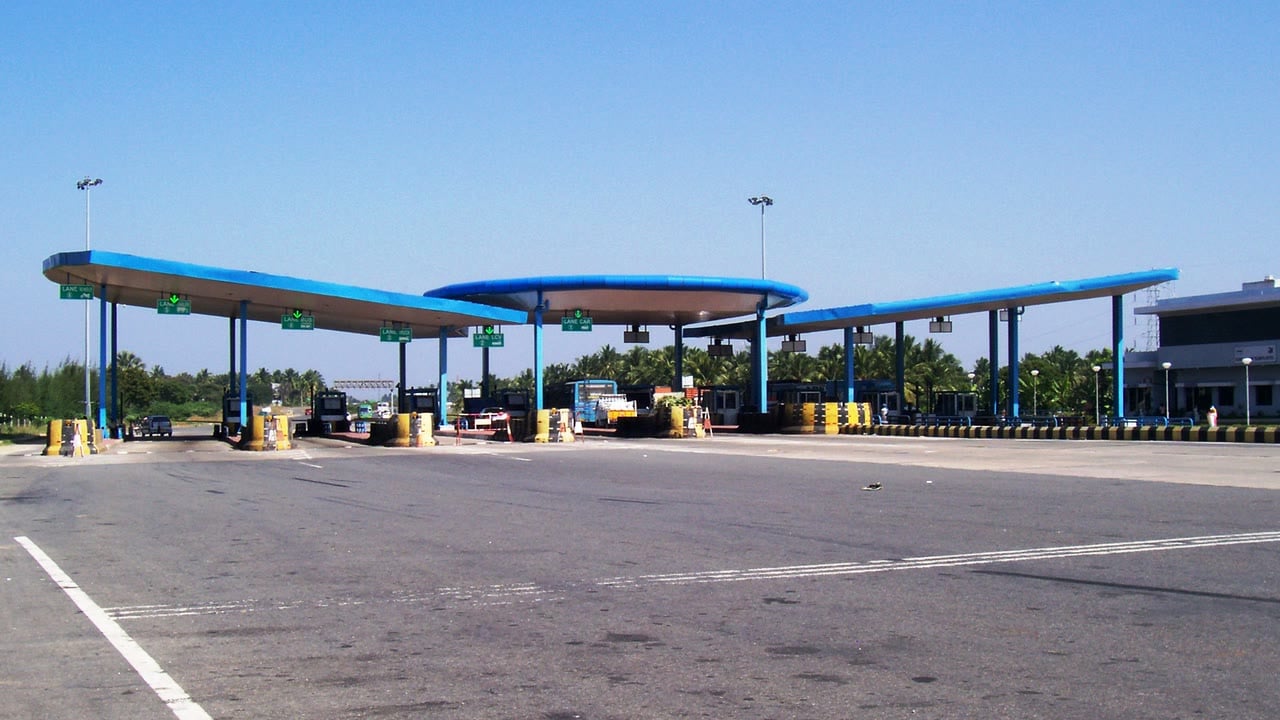
Checking a FASTag balance is only the first step: a wallet can show money while the tag itself is low, inactive, blacklisted or mapped to the wrong vehicle. This guide shows how to check balance and status, recharge without creating duplicate payments, and document a wrong deduction so you know which official channel to use as of November 2026.
Key takeaways
- Check both the wallet balance and the tag status before a long drive; they are related but not identical.
- Use your issuer bank's FASTag portal or app, MyFASTag, the NPCI status page or RajmargYatra/MargMitra rather than an unverified recharge website.
- A low balance, incomplete KYC, a loose or damaged tag, a vehicle-number mismatch, or an older tag can stop a toll transaction even when money exists in a linked bank account.
- For a wrong or duplicate deduction, save the SMS, transaction details and proof of your vehicle's location, then raise the complaint with the issuer and NHAI's toll support.
- IHMCL says incorrect deductions should be reported within 40 days; its FAQ says a chargeback normally takes 20–30 working days, as of November 2026.
What FASTag balance and status actually mean
A FASTag is an RFID sticker linked to a vehicle and an issuer bank's wallet. At a toll lane, the reader identifies the tag, the transaction moves through the electronic toll collection system, and the toll amount is deducted from that wallet. The balance shown in your savings or current account is not automatically the same as the usable FASTag wallet balance.
IHMCL's current FAQ describes a status check in three colours:
- Green: active tag with sufficient balance.
- Orange or amber: low balance.
- Red: blacklisted tag.
The status is therefore a quick pre-trip check, not just a rupee figure. A tag can also fail because it is not affixed correctly, is damaged, has incomplete KYC, or is not the active tag mapped to the vehicle. IHMCL says the NPCI status facility can show multiple FASTags linked to a vehicle number; this is useful after buying a replacement tag or selling a vehicle.
How to check FASTag balance and status
1. Start with the issuer bank
Open the FASTag section of the bank or authorised issuer that sold the tag. Check the wallet balance, recent toll transactions, vehicle registration number, tag status and any KYC alert. This is the best place to confirm whether a recharge has actually reached the wallet, because the issuer owns the customer account and transaction history.
- Match the vehicle registration number shown in the account with the number on the vehicle.
- Check whether the tag is active, hotlisted, blacklisted, closed or pending verification.
- Look for a failed recharge, reversal or pending transaction before trying the payment again.
- Download or screenshot the transaction record if the balance does not change.
2. Use MyFASTag or the official NPCI status route
IHMCL says MyFASTag supports recharge, transaction tracking and real-time wallet balance checks. Its FAQ also directs users to the NPCI facility for checking the status of multiple FASTags linked to a vehicle number. Use the official app or an issuer link reached from IHMCL, not a search-ad result that asks for card details.
3. Check RajmargYatra and MargMitra
NHAI's RajmargYatra app now includes MargMitra, a help centre for FASTag recharge, KYC queries, refund status, blacklisting, e-Notices and complaints. The PIB release dated 20 July 2026 says users can submit questions or grievances and track the complaint. It is useful when the problem involves a National Highway service rather than only the issuer wallet.
For a toll trip, you can also estimate the route's toll amount in the FuelPrice toll-charge calculator and keep enough wallet balance for the planned crossings. If fuel and tolls are being budgeted together, the fuel cost calculator gives the separate fuel figure; do not confuse that estimate with the FASTag wallet balance.
How to recharge without causing a second payment
Recharge through the issuer's app or website, MyFASTag, a supported UPI or BBPS route, or the official RajmargYatra help flow. Before paying, note the current balance and any pending transaction. After paying, retain the UTR or reference number and confirm that the wallet balance changes.
NHAI clarified on 19 February 2025 that National Highway toll plazas using ICD 2.5 provide real-time tag status, so users can recharge before reaching the toll. The same clarification notes that some State Highway plazas still use older ICD 2.4 processes that require more regular status updates. That means a recharge may be valid but not immediately reflected at every location.
- If money is debited but the wallet does not update, do not repeat the same payment immediately.
- Save the payment reference, time, amount and a screenshot of the old balance.
- Check whether the original payment is pending, failed or reversed in the issuer app or bank statement.
- Ask the issuer to trace the recharge using the reference number and follow its stated reversal process.
FASTag problem guide: what to check and what to do
| Problem | Official check | Next action | Time or number |
|---|---|---|---|
| Wallet shows low or insufficient balance | Issuer wallet and MyFASTag status | Recharge, then confirm the updated balance and active status before entering the lane. | Use the latest balance; no universal rupee minimum should be assumed. |
| Tag is blacklisted or inactive | Issuer portal, NPCI status check or MargMitra | Ask the issuer for the exact reason; check KYC, vehicle mapping, tag placement and whether another tag is active. | Escalate toll-lane issues on 1033. |
| Recharge debited but not reflected | Issuer transaction history and bank statement | Save the UTR, avoid duplicate payment, and raise a recharge-trace request with the issuer. | Issuer timelines vary; follow the account-specific response. |
| Wrong, duplicate or unexpected toll deduction | SMS, wallet statement, plaza and vehicle details | Raise a dispute with the issuer and report the toll issue through NHAI/IHMCL support with evidence. | Report within 40 days; chargeback normally takes 20–30 working days, as of November 2026. |
The 1033 helpline is for toll-plaza-level issues such as a tag being rejected despite a valid status, a plaza not accepting FASTag, or a reader failing to read the tag. For an account-level balance or recharge problem, the issuer remains the first contact. The Public Accounts Committee's 2025 report also records 1033 and RajmargYatra as grievance routes and confirms that incorrect deductions are processed through the issuer bank after investigation.
Worked example: how much should you recharge?
Assume a planned route has three illustrative toll deductions of ₹165, ₹90 and ₹120. The trip total is ₹375. If your wallet starts at ₹500, the balance after those crossings would be ₹125:
- Starting wallet: ₹500
- Planned tolls: ₹165 + ₹90 + ₹120 = ₹375
- Expected balance after the route: ₹500 − ₹375 = ₹125
If another planned toll is ₹140, ₹125 would not cover it. A ₹300 recharge would take the expected wallet balance to ₹425 before that crossing. These are illustrative numbers, not a published toll rate; use the actual rates shown for your route and leave room for a return trip, diversions or a pending deduction.
How to dispute a wrong FASTag deduction
Start quickly, even if the amount looks small. A wrong deduction may be a duplicate transaction, an incorrect vehicle number entered at a plaza, a reader or lane error, or a deduction that does not match the vehicle's journey. The complaint has to be traceable, so provide a complete record rather than only saying that the amount is wrong.
- Save the deduction SMS or notification and take a screenshot of the wallet statement.
- Record the transaction date, time, plaza name, amount, vehicle number and transaction or reference ID.
- Keep supporting proof such as a toll receipt, route record, parking receipt, service invoice, dashcam timestamp or other evidence showing where the vehicle was.
- Raise the dispute with the FASTag issuer through its official app, portal, call centre or email. Ask for a complaint number.
- For a toll-plaza issue or an unresolved case, use 1033 or RajmargYatra/MargMitra and quote the issuer complaint number.
- Track the case and check the wallet for a reversal. IHMCL describes the refund mechanism as a chargeback through the issuer bank after the plaza transaction is investigated.
IHMCL's FAQ says to report an incorrect deduction within 40 days and says the chargeback normally takes 20–30 working days. The Public Accounts Committee report records a separate government response that refund requests are typically initiated within 3 days after investigation, but that is not a promise that every case will be resolved in 3 days. Issuer policies can also set their own customer-service workflow, so earlier reporting is safer.
What to check before a highway trip
- Verify the active tag, wallet balance and vehicle number one day before departure.
- Check the route's toll points in the FuelPrice road-trip planner and keep a written estimate of toll and fuel outgo.
- Recharge through an official channel and save the payment reference.
- Look at the tag on the windscreen: it should be affixed properly, visible and free from damage.
- Carry the issuer's customer-care route and remember 1033 for a toll-plaza problem.
- After the trip, match the wallet SMS and statement against the tolls you actually crossed.
For frequent commuters, the guide to FASTag Annual Pass versus Local Pass explains how those products differ. If the route uses newer barrierless systems, the barrierless FASTag tolling guide covers e-Notices and the checks that become important when there is no conventional booth.
FASTag balance and deduction FAQs
Can I check FASTag balance without opening my bank app?
Yes. IHMCL says MyFASTag can show the real-time wallet balance and colour-coded status, while the NPCI status facility can show FASTags linked to a vehicle number. The issuer portal remains the place to confirm the account-level transaction and recharge history.
Why is my FASTag blacklisted when money is available in my bank account?
The FASTag wallet and a linked bank account are separate. A tag may also be affected by incomplete KYC, vehicle-number mismatch, an improperly affixed or damaged sticker, or another active tag on the same vehicle. Ask the issuer for the specific blacklist reason instead of assuming that a bank-account balance proves the tag is usable.
What should I do if FASTag recharge failed but money was debited?
Do not make repeated payments before checking whether the first transaction is pending or has been reversed. Save the UTR and bank statement entry, then ask the issuer to trace or reverse the recharge; the exact timeline depends on the issuer and payment channel.
Can I recharge FASTag just before reaching a toll plaza?
NHAI says National Highway toll plazas using ICD 2.5 provide real-time tag status and customers can recharge before crossing. Because some State Highway locations may use older status processes, recharge early enough to confirm that the wallet and tag status have updated.
Sources
- IHMCL, “FAQ – IHMCL”, current page accessed 05 Nov 2026.
- NHAI, “Frequently Asked Questions on FASTag”, current PDF accessed 05 Nov 2026.
- Press Information Bureau, “NHAI Enhances Digital Services on RajmargYatra Mobile App with Launch of Digital Local Pass and MargMitra Help Centre”, 20 Jul 2026.
- Press Information Bureau, “Clarification on New FASTag Rule”, 19 Feb 2025.
- Parliament of India, Public Accounts Committee, Report No. 33 on public infrastructure user charges and FASTag grievances, 12 Aug 2025.
- Wikimedia Commons, “IVRCL-Vijayamangalam-Toll-Plaza.JPG”, CC BY-SA photograph by Rsrikanth05, accessed 05 Nov 2026.
This article is for general information only and is not financial, insurance or legal advice.